
Critical events must not go unanswered.
A notification your system already sends by email becomes a phone call. ALERT calls the responsible employee, waits for confirmation and, if none comes, continues according to the defined scenario. Around the clock, without an on-duty operator.
- Email → call
- Works 24/7
- Automatic calls
- Recipient confirmations
- Escalation scenarios
Incoming call
2Pass to someone else
Confirmed
Response and time recorded
An email becomes a call.
Your systems already send notifications by email. ALERT recognises the ones that matter and calls the responsible person at that very moment. The trigger can also be an SMS — for example, from an equipment controller that has no internet connection.
Email received
It sits in the inbox. Nobody will see it until morning.
Call
“The monitoring system has detected a critical event. Please confirm that you have received this message.”
Confirmed. Response and time recorded.
Subject: CRITICAL: Disk space low
Call within seconds
“The monitoring system has detected a critical event. Please confirm that you have received this message.”
On-duty IT specialist
Message: ALARM TEMP HIGH
Call within seconds
“An equipment alarm has been detected. Please confirm that you have received this message.”
On-duty maintenance engineer
Subject: New urgent order
Call within seconds
“An urgent order has been received and needs your confirmation. Please confirm that you have received this message.”
Sales manager
Three examples from different areas. You set the sender, subject criteria, message text and recipient yourself.
Why is a notification alone not enough?
A notification only does its job when someone sees it. Critical events need active alerting and clear confirmation that the message has reached a person.
-
The notification goes unnoticed. At night, at the weekend or on a busy working day it drowns among other messages.
-
Time passes without a reaction. An unread warning is noticed only when the consequences are already visible.
-
There is no confirmation. A sent message does not tell you whether anyone read it and acted on it.
-
It is unclear who responds. When the first person does not answer, the notification chain often breaks.
What does automated alerting give you?
ALERT is a 3cxCloud.LT solution that turns a notification into a phone call and never leaves it unanswered.
Automatic alerting 24/7
The event is captured and alerting starts at that very moment — at night, at the weekend or during holidays.
Voice calls with prepared messages
The phone rings until it is answered. The message can be read out by voice or played as a pre-recorded announcement.
Recipient confirmation logging
The employee confirms receipt using the phone keypad. The response and its time are recorded.
Escalation scenarios
If there is no response, alerting continues: the call is repeated, the next person is notified, or the whole group.
SMS and additional channels
A text message can go together with the call or as a separate channel — whichever suits you better.
Tailored to your processes
The scenario follows your organisation’s procedures: who is notified and in what order, what is asked, and when to move on.
How does ALERT work?
One event — a complete automatic response process. From the signal to the recorded result, the system does everything itself.
A critical event is detected
An incident, a failure or another business signal
Automatic alerting
A call, an SMS or both channels together
Recipient confirmation
The recipient’s reaction is recorded
Confirmed
The defined completion actions are carried out
Not confirmed
The escalation scenario is activated
Result logging
Alerting history and optional transfer to a CRM
If the first employee does not respond, ALERT keeps going.
Alerting does not stop after a single attempt. The scenario moves on to the next person by itself, and every step is recorded.
Below is an example chain. You set the number of levels, their order and the waiting time yourself.
On-duty specialistCall, waiting for confirmation
Backup specialistCall and SMS at the same time
Department managerThe whole on-duty group is notified
The result is recordedWho was notified, when and how they responded
Where is ALERT used?
Wherever an event cannot wait for someone to open their inbox. Four areas where automated alerting is used most often.
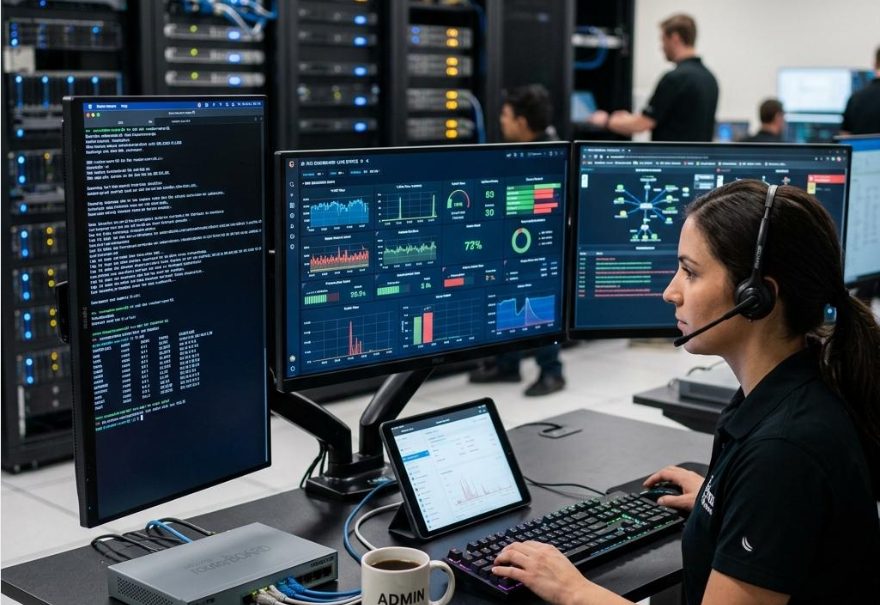
IT infrastructure and monitoring
Alerting about server, network, application and other IT service failures, with escalation to on-duty specialists.
- Monitoring system alerts
- Service unavailability
- On-call schedule

Manufacturing and maintenance
Passing equipment failures, process disruptions and other important events to the responsible staff.
- Equipment failures and downtime
- Temperature and pressure deviations
- Pumping stations and boiler houses

Security and safety systems
Passing on and confirming alarm activations, security incidents and urgent notifications.
- Alarm activations
- Access control
- Night-time response

Logistics and business processes
Automated alerting about urgent operational messages, important tasks and other events.
- Cargo and route deviations
- Urgent orders
- Process checkpoints
One solution — different response scenarios.
Every organisation has its own procedures, so ALERT is not a single fixed process. The scenario can be adapted to the event type, working hours, responsible people or response priority.
Different events can have different chains: an SMS is enough for one, another needs a call and confirmation, a third needs the whole on-duty group at once. The 3cxCloud.LT team builds the scenario together with you.
What makes up the solution?
Expand a topic if you want more detail. The exact scope is agreed with 3cxCloud.LT during deployment.
Event recognition rules
An event is recognised by pre-agreed rules: the message source, the subject or content criteria. The trigger can be an email or an SMS.
The same source can have several rules, and each rule its own response scenario. This way, different messages from the same system trigger different actions.
Automatic voice calls
The call is initiated automatically, without an operator. The message can be generated from text or played as a pre-recorded audio file — both methods can be combined in one message.
You decide the content and wording of the message. Event data can be inserted into the text so the person immediately hears what happened and where.
Recipient confirmation
The recipient confirms the message using the phone keypad. Separate keys can be set for confirming and for passing it to another person.
Confirmation is not mandatory — if the scenario does not need it, the message is simply delivered and recorded.
Escalation scenarios
Without confirmation the scenario continues: the call is repeated, the next person on the list is notified, or the whole group.
The number of escalation levels, their order and the waiting time between them are set according to your organisation’s needs.
SMS alerting
SMS can be used as a separate alerting channel or together with the call — for example, the call first and a text message with the details right after it.
Messages are sent via the 3cxCloud.LT SMS platform, so the recipient’s phone shows the sender name you choose — it is immediately clear that this is an official notification.
The message text can be built from the event data so the recipient sees the specific site or number.
API and CRM integrations
Alerting results can be passed to your systems via the 3cxCloud.LT API: who was notified, when and how they responded.
It uses the same REST API as the other 3cxCloud.LT services — HTTPS, JSON and Bearer authentication.
The scope of integration is agreed individually, depending on what data the receiving system accepts.
Logging of alerting results
Alerting attempts, recipient responses and the progress of the scenario are recorded — you can see at which point in the chain the event was accepted.
The data can be used for internal reports or passed to other systems.
Call infrastructure
Calls are made via the 3cxCloud.LT infrastructure. If your organisation has its own phone system (PBX) or 3CX, alerting can also run through it.
You choose the number shown on the recipient’s phone — so the employee immediately recognises it as an official notification.
Automate the alerting of critical events.
The 3cxCloud.LT team will discuss your process and prepare a scenario to suit your organisation’s needs.


